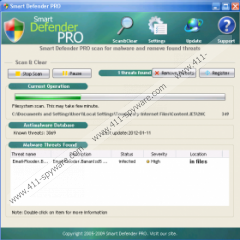
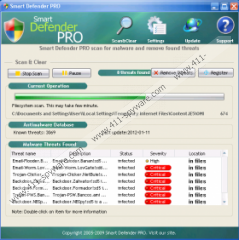
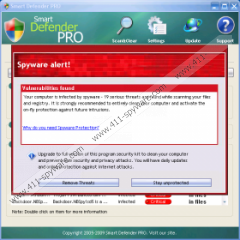
Smart Defender PRO is more fake antispyware software, and the baby bro of scamware Virus Remover Professional. Like other scareware, Smart Defender PRO installs itself onto your computer through Trojans or scam websites. These Smart Defender PRO sites mimic scanning your system. These Smart Defender PRO sites tell you you’re infected with imaginary badware, and prompt you to download Smart Defender PRO. After you’re hounded into making the mistake of installing Smart Defender PRO, the scamware boots with your system, fakes scanning your computer for threats, and launches loads of Smart Defender PRO popups. These Smart Defender PRO pop-up ads are false security alerts planted in your Windows task bar, created to trick you into buying the “full” version of Smart Defender PRO.
The only thing Smart Defender PRO removes is around $30 from your wallet. So let me show you how to remove Smart Defender PRO, for free.
GET RID of Smart Defender PRO
- Manually remove Smart Defender PRO with step-by-step instructions
- Download Spyware Doctor to automatically remove Smart Defender PRO
- You can download award-winning, anti-badware software SpywareDoctor to easily remove Smart Defender PRO. Want to know why I dig SpywareDoctor? Read my review.
Do You Have Smart Defender PRO?
When you’re infected with badware — whether it’s Smart Defender PRO, spyware, adware, a Trojan, or a virus — there are a few key symptoms. Have you noticed…
- Slow computer performance: It just takes one parasite like Smart Defender PRO to slow your computer dramatically. If your PC takes longer than usual to reboot, or if your Internet connection is unusually slow, you may be infected with Smart Defender PRO.
- New desktop shortcuts or switched homepage: Badware like Smart Defender PRO may change your Internet settings to redirect your homepage to another site. Badware can even add desktop shortcuts to your PC.
- Annoying popups: Badware can bombard your computer with popup ads, even when you’re not online. Through these popups, you may be tricked into downloading more spyware.
How to Remove Smart Defender PRO Manually
Before we get started, you should backup your system and your registry, so it’ll be easy to restore your computer if anything goes wrong.
To remove Smart Defender PRO manually, you need to delete Smart Defender PRO files. Not sure how to delete Smart Defender PRO files? Click here, and I’ll show you. Otherwise, go ahead and…
Remove Smart Defender PRO processes:
%UserProfile%\Local Settings\Temp\smrtdefp.exe
Delete Smart Defender PRO folders:
%UserProfile%\Application Data\Smart Defender PRO
c:\Documents and Settings\All Users\Start Menu\Programs\Smart Defender PRO
Get rid of Smart Defender PRO files:
c:\Documents and Settings\All Users\Start Menu\Programs\Smart Defender PRO\Smart Defender PRO.lnk
Remove Smart Defender PRO registry keys:
HKEY_CURRENT_USER\Software\Smart Defender PRO
Note: In any Smart Defender PRO files I mention above, “%UserProfile%” is a variable referring to your current user’s profile folder. If you’re using Windows NT/2000/XP, by default this is “C:\Documents and Settings\[CURRENT USER]” (e.g., “C:\Documents and Settings\JoeSmith”). If you have any questions about manual Smart Defender PRO removal, go ahead and leave a comment.
How Do You Remove Smart Defender PRO Files?
Need help figuring out how to delete Smart Defender PRO files? While there’s some risk involved, and you should only manually remove Smart Defender PRO files if you’re comfortable editing your system, you’ll find it’s fairly easy to delete Smart Defender PRO files in Windows.
How to delete Smart Defender PRO files in Windows XP and Vista:
- Click your Windows Start menu, and then click “Search.”
- A speech bubble will pop up asking you, “What do you want to search for?” Click “All files and folders.”
- Type a Smart Defender PRO file in the search box, and select “Local Hard Drives.”
- Click “Search.” Once the file is found, delete it.
How to stop Smart Defender PRO processes:
- Click the Start menu, select Run.
- Type taskmgr.exe into the the Run command box, and click “OK.” You can also launch the Task Manager by pressing keys CTRL + Shift + ESC.
- Click Processes tab, and find Smart Defender PRO processes.
- Once you’ve found the Smart Defender PRO processes, right-click them and select “End Process” to kill Smart Defender PRO.
How to remove Smart Defender PRO registry keys:
Because your registry is such a key piece of your Windows system, you should always backup your registry before you edit it. Editing your registry can be intimidating if you’re not a computer expert, and when you change or a delete a critical registry key or value, there’s a chance you may need to reinstall your entire system. Make sure your backup your registry before editing it.
- Select your Windows menu “Start,” and click “Run.” An “Open” field will appear. Type “regedit” and click “OK” to open up your Registry Editor.
- Registry Editor will open as a window with two panes. The left side Registry Editor’s window lets you select various registry keys, and the right side displays the registry values of the registry key you select.
- To find a registry key, such as any Smart Defender PRO registry keys, select “Edit,” then select “Find,” and in the search bar type any of Smart Defender PRO’s registry keys.
- As soon as Smart Defender PRO registry key appears, you can delete the Smart Defender PRO registry key by right-clicking it and selecting “Modify,” then clicking “Delete.”
How to delete Smart Defender PRO DLL files:
- First locate Smart Defender PRO DLL files you want to delete. Open your Windows Start menu, then click “Run.” Type “cmd” in Run, and click “OK.”
- To change your current directory, type “cd” in the command box, press your “Space” key, and enter the full directory where the Smart Defender PRO DLL file is located. If you’re not sure if the Smart Defender PRO DLL file is located in a particular directory, enter “dir” in the command box to display a directory’s contents. To go one directory back, enter “cd ..” in the command box and press “Enter.”
- When you’ve located the Smart Defender PRO DLL file you want to remove, type “regsvr32 /u SampleDLLName.dll” (e.g., “regsvr32 /u jl27script.dll”) and press your “Enter” key.
That’s it. If you want to restore any Smart Defender PRO DLL file you removed, type “regsvr32 DLLJustDeleted.dll” (e.g., “regsvr32 jl27script.dll”) into your command box, and press your “Enter” key.
Did Smart Defender PRO change your homepage?
- Click Windows Start menu > Control Panel > Internet Options.
- Under Home Page, select the General > Use Default.
- Type in the URL you want as your home page (e.g., “http://www.homepage.com”).
- Select Apply > OK.
- You’ll want to open a fresh web page and make sure that your new default home page pops up.
Smart Defender PRO Removal Tip
Is your computer acting funny after deleting any Smart Defender PRO files? I recommend using a program like File Recover from PC Tools. File Recover saves deleted files that otherwise can’t be recovered by Windows operating sytem.
Want to save time finding Smart Defender PRO files? Download Spyware Doctor, let it find the Smart Defender PRO files for you, and then manually delete Smart Defender PRO files.
How Did You Get Smart Defender PRO?
Wondering how Smart Defender PRO ended up on your PC? If you’re infected with Smart Defender PRO or other badware, perhaps you were using…
- Freeware or shareware: Did you download and install shareware or freeware? These low-cost or free software applications may come bundled with spyware, adware, or programs like Smart Defender PRO. Sometimes adware is attached to the free software to “pay” developers for the cost of creating the software, and more often spyware is secretly attached to free software to harm your computer and steal your personal and financial information.
- Peer-to-peer software: Do you use a peer-to-peer (P2P) program or other application with a shared network? When you use these applications, you put your system at risk for unknowingly downloading an infected file, including applications like Smart Defender PRO.
- Questionable websites: Did you visit a website that’s of questionable nature? When you visit malicious sites that are fishy and phishy, badware may be automatically downloaded and installed onto your computer, sometimes including applications like Smart Defender PRO. I recommend you use Firefox web browser, if you don’t already.
Understanding Smart Defender PRO
If you’re infected with Smart Defender PRO, you should know what you’re fighting. I’ll explain some definitions related to Smart Defender PRO.
Smart Defender PRO May Be Rogue Anti-Spyware
Rogue anti-spyware refers to anti-spyware/antivirus software of questionable value. Rogue anti-spyware may not be proven to protect your computer from spyware, may popup fake alerts or create many false positives about your PC being infected, or may use scare tactics to try to get you to purchase the application. Rogue anti-spyware software may be installed by a Trojan, come bundled with other software, or install itself through web browser security holes. While it is fairly rare, some rogue anti-spyware is created and distributed by known spyware or adware companies, and the rogue anti-spyware may install spyware or adware itself.
Often when you’re infected with rogue anti-spyware like Smart Defender PRO, you’ll see a false popup security alert like this:

Rogue Anti-Spyware Tactics
Typically, rogue anti-spyware such as Smart Defender PRO has one or more of the qualities listed below, which is why rogue anti-spyware is considered anti-spyware software of questionable value.
- False positives/fake alerts: Rogue anti-spyware may produce a large number of false positives or use fake alerts, noting that your computer is infected with spyware parasites or other threats that do not really exist.
- Copycat looks: Rogue anti-spyware may copy the look and feel of other legitimate or rogue anti-spyware applications. Often, rogue anti-spyware applications may appear as close clones of other rogue anti-spyware software.
- High pressure marketing: Rogue anti-spyware may use scare tactics or other aggressive advertising and marketing tactics to try to trick you into buying the rogue anti-spyware application. Often, rogue anti-spyware may produce false positives and fake alerts about your computer being infected.
- Poor detection/scan reporting: Rogue anti-spyware may produce poor reports when it scans your PC. For example, rogue anti-spyware may say your computer is infected 11 parasites, but not specify which spyware parasites or what type of parasites. Rogue anti-spyware may also report that your PC is infected with SafeAndClean, but not tell you which related files, DLLS, etc. were found on your computer.
- Weak scanning/detection: Rogue anti-spyware may not only poorly report on computer infection, but rogue antispyware may also poorly scan your PC. Rogue anti-spyware may skip over important folders and files of your computer that should be scanned to detect spyware.
Did Smart Defender PRO use these tactics to trick you into buying Smart Defender PRO?

Traduzca al Español
Übersetzen Sie zum Deutsch
Traduisez au Français
Traduca ad Italiano
Vertaal aan het Nederlands
Μεταφράστε στα ελληνικά
Översätta till Svensk
ترجمة الى العربية
中文翻译
한국어에게 번역하십시오
日本語に翻訳しなさい
Traduza ao Português
Переведите к русскому
Thank you very much for helping me delete this program that was driving me crazy.
you have taken a big weight of my shoulder.
THANK YOU THANK YOU THANK YOU. Your instructions were right on, and we really appreciate that you had them available for public use. My parents were terrified and then devastated that they had “ruined” their computer. Thankfully my dad had enough sense to NOT give his credit card #. Shame on that company for preying on innocent people. I printed the “How Did You Get SDP” and “Understanding SDP” sections for their reference. You’re a rock star!
Thanks a lot. It works. You are marvelous. Here are some of my two cents to people like myself with limited computer expertise:
(1) Disable your internet connection to isolate your computer.
(2) Follow these instructions carefully in the suggested sequence: remove the processes first, then get rid of the files, then delete the folders, then clean the registry. If you jump around and clean the registry first, you will not be able to remove the folders later.
(3) When search and clean, remember that this malware has more than one name, search both “SmartDefender Pro” and “smrtdefp”.
(4) After eradicate it, go to Control Panel, Internet Options, Security, Restricted Sites, and block SmartDefender Pro.
If your are like me (a 60 years old lady) who forget things easily, you better concentrate on what you are doing, don’t let phone calls distracting you. Print out this page, put a check mark next to the item you have done.
Finally, it is nice to know that there are still people one can trust on the internet. Kristopher, thank you very much.
pc
Thank you so much for several complete & simple sets of instructions to manually get rid of Smart Defender Pro that masked as Windows (msft) anti virus etc protection;thought Windows meant Micsosoft & clicked once. realized not MSFT & could not get this crooked outfit’s box off my screen. Got two icons from it also. Would have not known what to do & did not want to download anything else to get rid of it. Had to try your alternatives & got taskmgr. exe (processes). that one worked. Neat says this Nana.Thank you again.
I bought Spyware Doctor, but it has not got rid of smart defender PRO despite several scans it is still there at start up on my toolbar (bottom right). Can anyone help??
I bought Spyware Doctor online as you recommended but after a full scan of my entire system Smart Defender PRO is still there when I boot up and is still playing havoc. I am not happy. Please can you help
I have tried all your recommendations – no files found. I have not purchased the Smart Defender Pro – but I keep getting a pop up box that displays false infections and asking to purchase their product. How can I remove the pop up box? I do not think I have their program on my computer and that is why I cannot find any files in the search. Please help!!
Hi, Joe
I’m so glad to hear these Smart Defender PRO removal instructions worked. Thanks for letting me know, and ping me if you ever need help again.
Best,
Kristopher
Kristopher;
I searched the web until I found a legitimate way to remove the smart defender pro virus. Most of the sites were false and leading one to buy their spyware to remove spyware.
Thanks for posting these instructions. They worked to perfection. You are a Godsend for providing these instructions.